
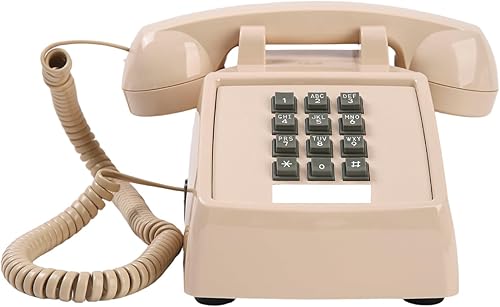

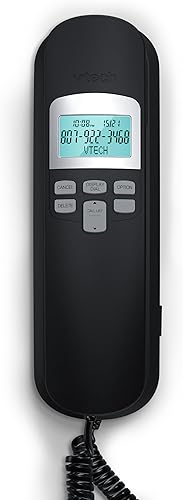

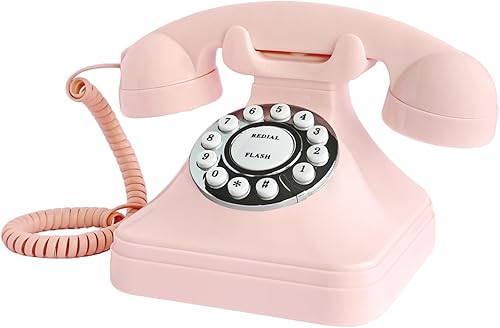


¿De qué marca es?
Sacumea.
Tiempo de entrega estimada Martes 7 de abril al Lunes 13 de abril.
Precio
Q 560
Compra segura
Protección total en tu pago y tu pedido.
Pago seguro
Múltiples medios de pago disponibles.
Envío verificado
Cobertura nacional con seguimiento en cada etapa.
Tiempo de entrega estimada Martes 7 de abril al Lunes 13 de abril.
Compras Empresariales — Landline Phones
Solicite una cotización para su empresa
Telephones & Accessories de la marca Sacumea
Las imágenes son ilustrativas y pueden presentar variaciones menores respecto al producto real.
Telephones & Accessories de la marca Sacumea
¿De qué marca es?
Sacumea.
¿Cuánto pesa?
1,4 libras, aproximadamente 0,6 kg.
¿Cuáles son sus dimensiones?
7 x 3.4 x 7.9 pulgadas, aproximadamente 17.8 x 8.6 x 20.1 cm.
¿Desde cuándo está disponible?
Desde julio de 2025.
| Campo | Valor |
|---|---|
| Best Sellers Rank | #41,013 in Office Products (See Top 100 in Office Products) #93 in Landline Phones |
| SKU | B0FKMWW3JK |
Easy Use, Clear Communication: This large button corded hone is specifically designed to help seniors and individuals with hearing impairments overcome communication difficulties. It features 3 one-touch speed dials and 10 two-touch number memories, adjustable ringtone volume, a call indicator light, and hands-free functionality, ensuring effortless dialing and clear, uninterrupted conversations—making it easier than ever to stay connected Extra-Large Volume & Hearing Aid Compatibility: Featuring a handset volume control with an impressive 80dB+ receiver gain, an incoming ringer volume of 110dB+, and an adjustable speaker for personalized sound. This senior home phone ensures that calls are loud and clear, making it perfect for seniors with hearing loss. It’s also fully compatible with hearing aids, allowing for a seamless communication experience Landline Phone for Seniors with Dementia:This land line corded phone is equipped with 3 picture buttons, each capable of storing one-touch speed dial numbers. The photos can be replaced with pictures of family members, friends, or emergency contacts. By pressing the picture memory key, the landline phone will automatically dial the number and activate the hands-free function, making communication effortless. Whether for contacting family or making an emergency call, just a simple press is all it takes LED Flashing Light:With this landline phone, seniors will never miss a call. The bright LED flashes when a call comes in, making it easy to spot in low-light conditions or for those with hearing impairments. A simple yet powerful reminder to stay connected. Plus, the large button makes Last Number Redial effortless, allowing you to dial the last number again with a simple press of the Redial button User-Friendly Design:The reliable wired design eliminates the hassle of misplaced cordless handsets, while the sturdy ABS body ensures long-lasting performance. This landline phone is built to withstand everyday use, offering a hassle-free experience for seniors. It can also be used as a desk phone or easily mounted on the wall for added convenience PLEASE NOTE: When programming the image memory key, following the steps in the manual may sometimes fail. If this happens, please don't worry. Simply repeat steps 1 and 2 (Step 1: Enter the phone number you wish to store; Step 2: Press and hold the "MEM" key for 5 seconds). Then, press the image button once, lift your finger, and press and hold it again for 5 seconds to complete the number storage
Valoraciones
201